 IQRA
IQRAChoose a school with the full picture.
Fees, seats, reviews and admissions for schools near you — in English and اردو, free.
Everything from first search to first day.
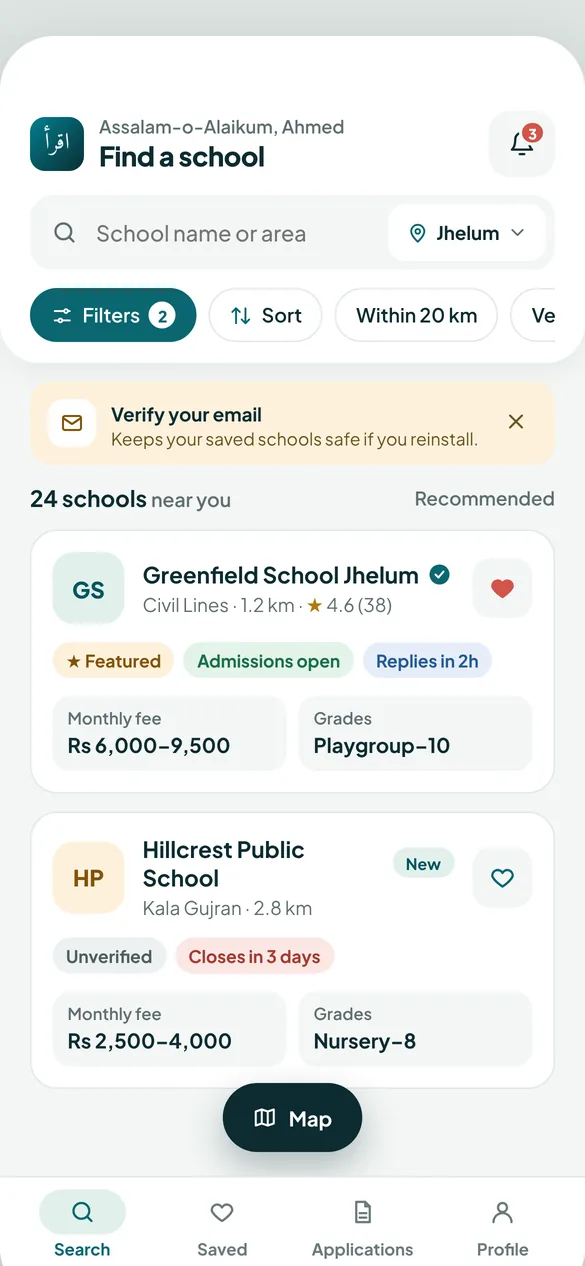
Find schools that fit your family
Use your location or pick a city. Filter by monthly fee, class, boys/girls/co-ed, Matric or Cambridge, distance and facilities like transport and daycare.
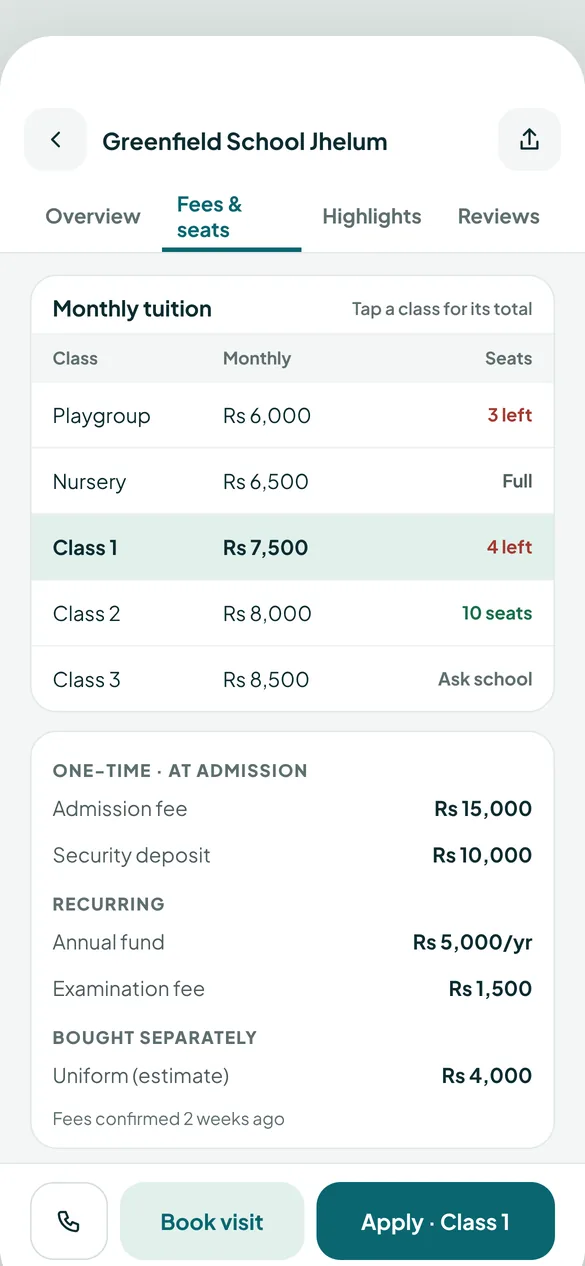
See the real fee for your child’s class
Monthly tuition per class, one-time admission and security, annual charges and items bought separately — plus a single “Total to join” figure and any sibling discount.
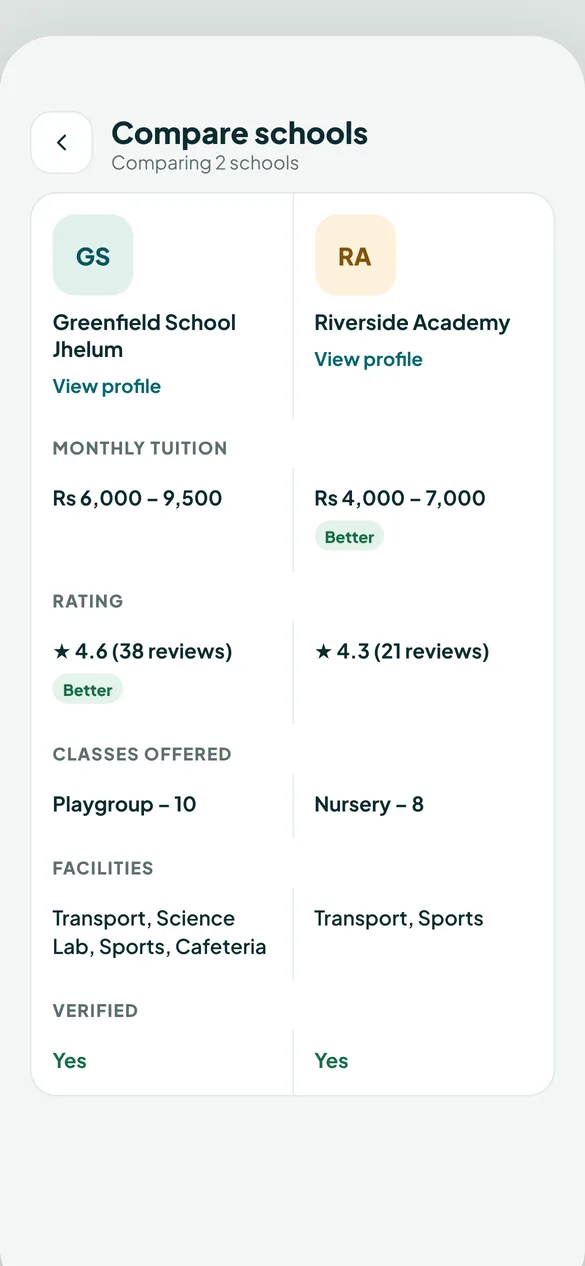
Shortlist and compare side by side
Save schools with the heart, then compare two at once: fees, rating, classes, facilities and verification. Book a campus visit when you’re ready.
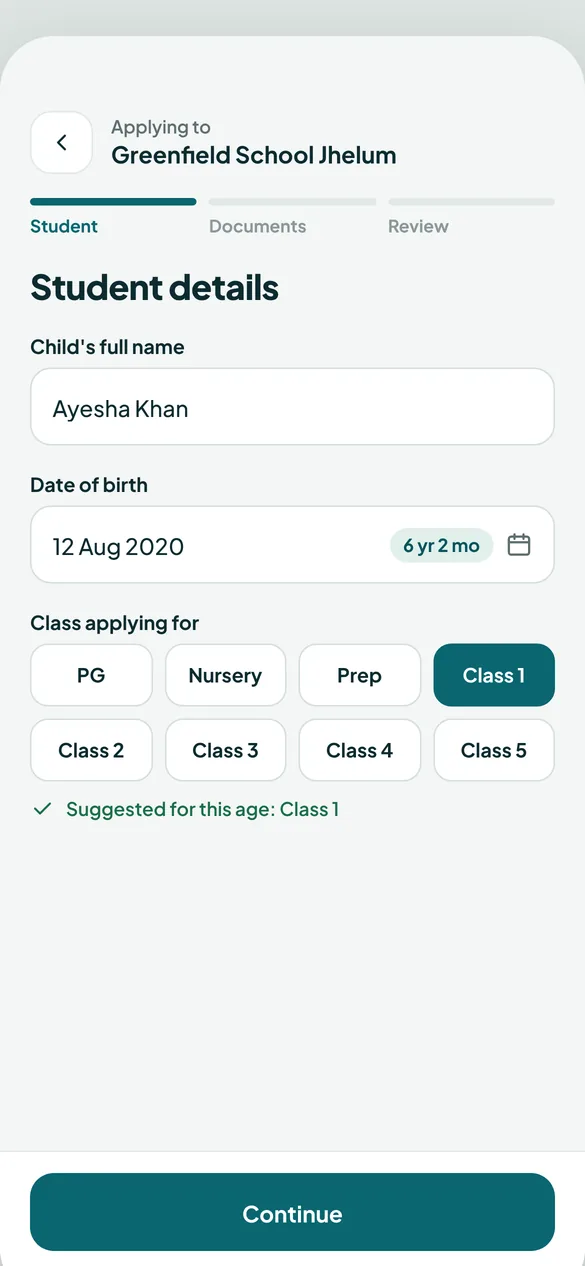
Apply in minutes, hear back instantly
Child details, documents like the B-Form, and a final review. Every change — under review, test scheduled, admitted — arrives as a notification.
One app for your child’s school life.
When the school uses IQRA, link your child with the code the school gives you.
Upcoming and overdue, with photos from the teacher.
A monthly calendar of present, absent, late and leave.
Overall average and subject-wise progress.
Book parent-teacher slots; read school announcements.
Your number stays private
Schools see your details only when you apply or ask them to contact you.
Free, always
No subscription and no payment in the app.
English and اردو
Switch language any time; the whole app flips right-to-left.
Questions from parents
Do I need an account?
No sign-up form. Tap Get started; you add your name and number only when you apply or contact a school.
Can I apply to more than one school?
Yes. Each application is tracked separately under My applications.
I reinstalled the app — can I get my data back?
Yes, if you verified your email in Profile. Use “Restore your history” on the welcome screen.
How do I link my child after admission?
Your child’s school gives you a link code. Open My children → Link a child and enter it.